Opens in a new tab
Plans & PricingSignup for FreeGet a demo

Connecting your LDAP to ClicData

Anna Walteron February 20, 2014
Last updated on May 14, 2025

With the February update (17/02) of ClicData comes the ability for our DataLoader to connect to your LDAP directory.

DataLoader can connect from any machine that is in the LDAP domain or outside of it as long as it can connect to the LDAP server.
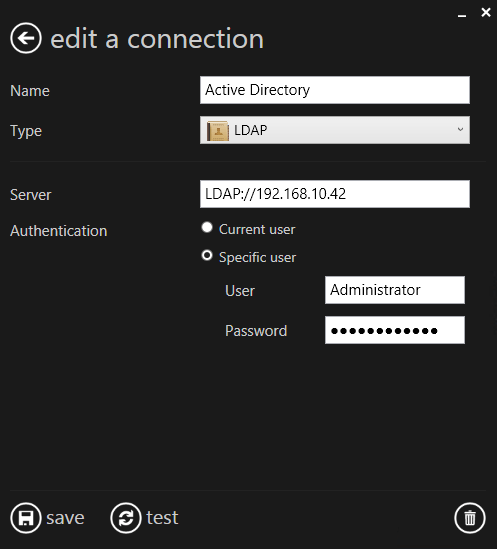
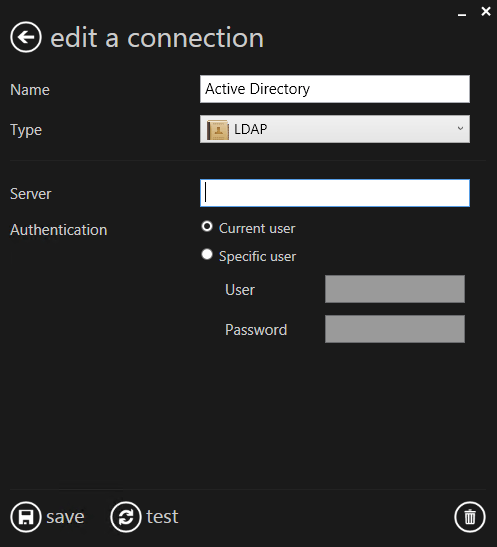
Connect to any LDAP server using any credentials
You can also leave all the fields blank ; DataLoader will connect to the domain server as the current user

Once the connection is established, you can use any standard LDAP filter to fetch anything you like.

That’s all there is to it – get data from your LDAP domain in ClicData in a matter of minutes!
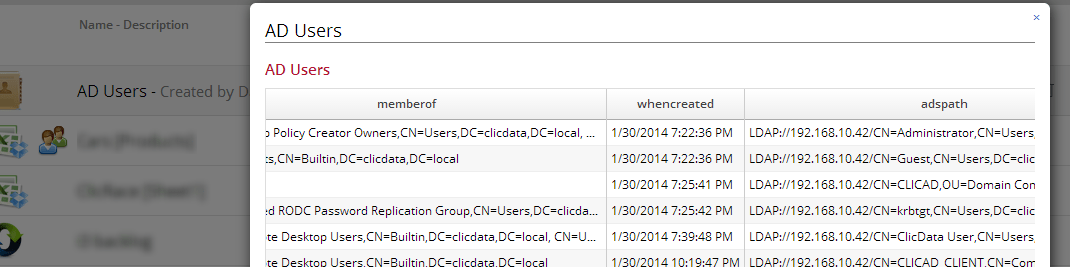
LDAP Users imported into ClicData

Happy Dashboarding with ClicData!

Table of Contents

Summarize this content with AI

Other Blogs

AI Readiness Assessment For SMBs: Which AI Wave Is Your Team Actually Operating In

Agentic AI is the loudest topic in data and analytics, and if your leadership has started asking where your team stands, a shrug is no longer an acceptable answer. BARC's…

The Most Trusted ETL Tools by Data Engineers

Ask ten data engineers to name the most trusted ETL tools and you'll get a short list of products followed by a much longer list of caveats. This guide covers…

Why AI Pilots Stall Before the Model is Even the Problem

Most AI pilots never get cancelled. They demo well in the spring, pick up a second round of scope over the summer, and by autumn the two people who built…
All articles
This site is registered on wpml.org as a development site. Switch to a production site key to remove this banner.