
Expert Solutions for
Building Data Platform Foundations
Develop data applications, interfaces and more with our platform API
Getting Started
Where to get started with developing apps and interfaces with ClicData.
Getting StartedAbout
ClicData’s developer API is a core part of our platform. It enables companies of any shape or size to build robust integrations, mobile and desktop apps, and customize the use of ClicData.
Our API is built upon modern standards of REST conventions and designed to have a predictable URL and JSON structure and response. Furthermore they use standard HTTP features, including methods (POST, GET, PUT, DELETE) and error response codes and structures with both code and verbose messages.
All endpoints are individually versioned so that you can apply updates to your code only when you need the new versions.
We hope that you take full advantage of our extensive API and that you are able to create all kinds of applications, flows and automations with it.
All endpoints are individually versioned so that you can apply updates to your code only when you need the new versions.
We hope that you take full advantage of our extensive API and that you are able to create all kinds of applications, flows and automations with it.
Authentication
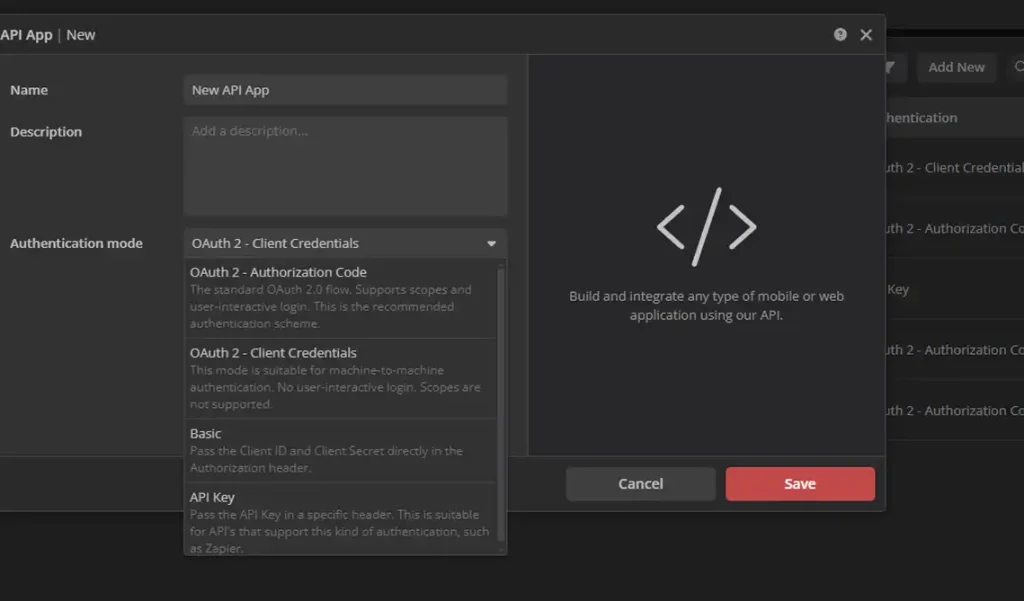
When creating your API endpoints, there are 4 different types of authentication available to you, with various degrees of security and integration complexity.
- OAuth Client Credentials
- OAuth Authorization Code
- Basic
- API Key
It is up to you to chose the best suited authentication method. You can read more about it or follow some of the examples in our API documentation.
It’s easy to get started if you already have an account. Please be aware that not all plans come with the API feature. Please contact us or visit our plan comparison page for more information.
Reference
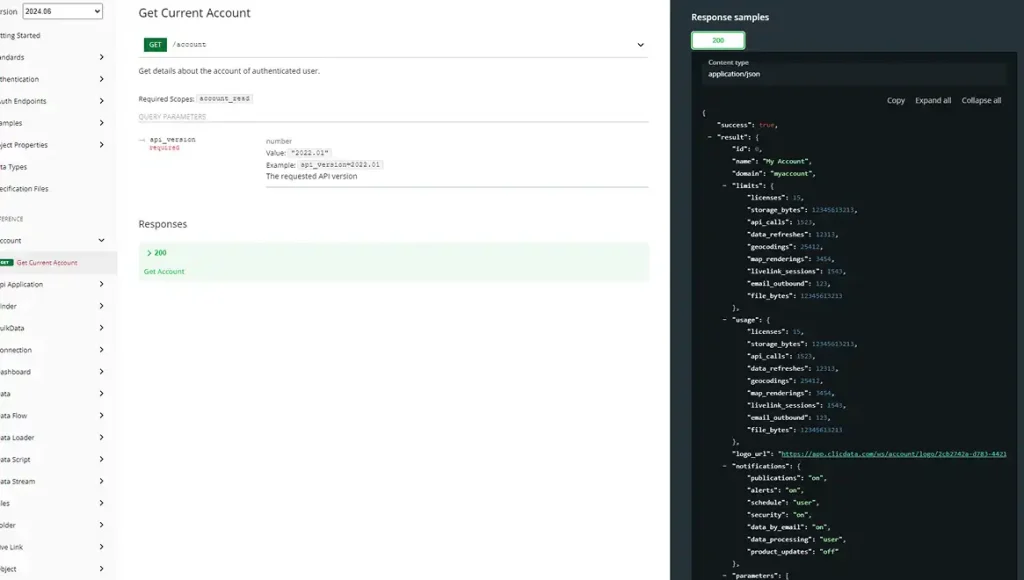
We have an extensive and dynamically built reference documentation complete with examples in C#, PHP, and CURL, as well as a version selector and sample requests and responses.
You can also download our entire API specification in OpenAPI or Swagger formats to import into Insomnia or Postman.


What to Build
Here are some examples of what customers have built with the ClicData API.
- IoT Device Data AggregatorCollect data directly in real time from any IoT device.
- CRM Alert and DashboardBuild a workflow that based on certain deal amounts sends a dashboard to specific users.
- Mobile Reporting ApplicationBuild a mobile application so that users can consult dashboards on the go.
- Data Bus AggregatorBuild a data bus for data distribution across all your applications with real time data.
- Slack/Teams Reporting BotBuild a bot that queries the API and posts daily metrics or visualizations directly into communication channels.
- Multi-Client Portal IntegrationAgencies or service providers could use the API to generate, clone, and customize dashboards for each client using templated structures.
- API-Driven Data Warehouse ManagementProgrammatically manage data source links, data sets, and warehouse updates in a continuous pipeline flow.
- Self-Service Dashboard GenerationGive end-users the ability to configure their own reports (e.g., choose date ranges, metrics) through a custom front-end that calls the API behind the scenes.
- CRM or ERP IntegrationAutomatically push data from Salesforce, HubSpot, Dynamics, or NetSuite into ClicData without using connectors.
- Automated Account/User ProvisioningIntegrate with HR systems or CRMs to automatically create users or clients in ClicData as new employees/customers are added.
- Snapshot ArchivingAutomatically export and store versions of dashboards for auditing, versioning, or compliance records.