
All-in-One Data Management Platform
Build intuitive data pipelines with the Data Flow module or precision code with Python and SQL.

The perfect designer for your data pipelines
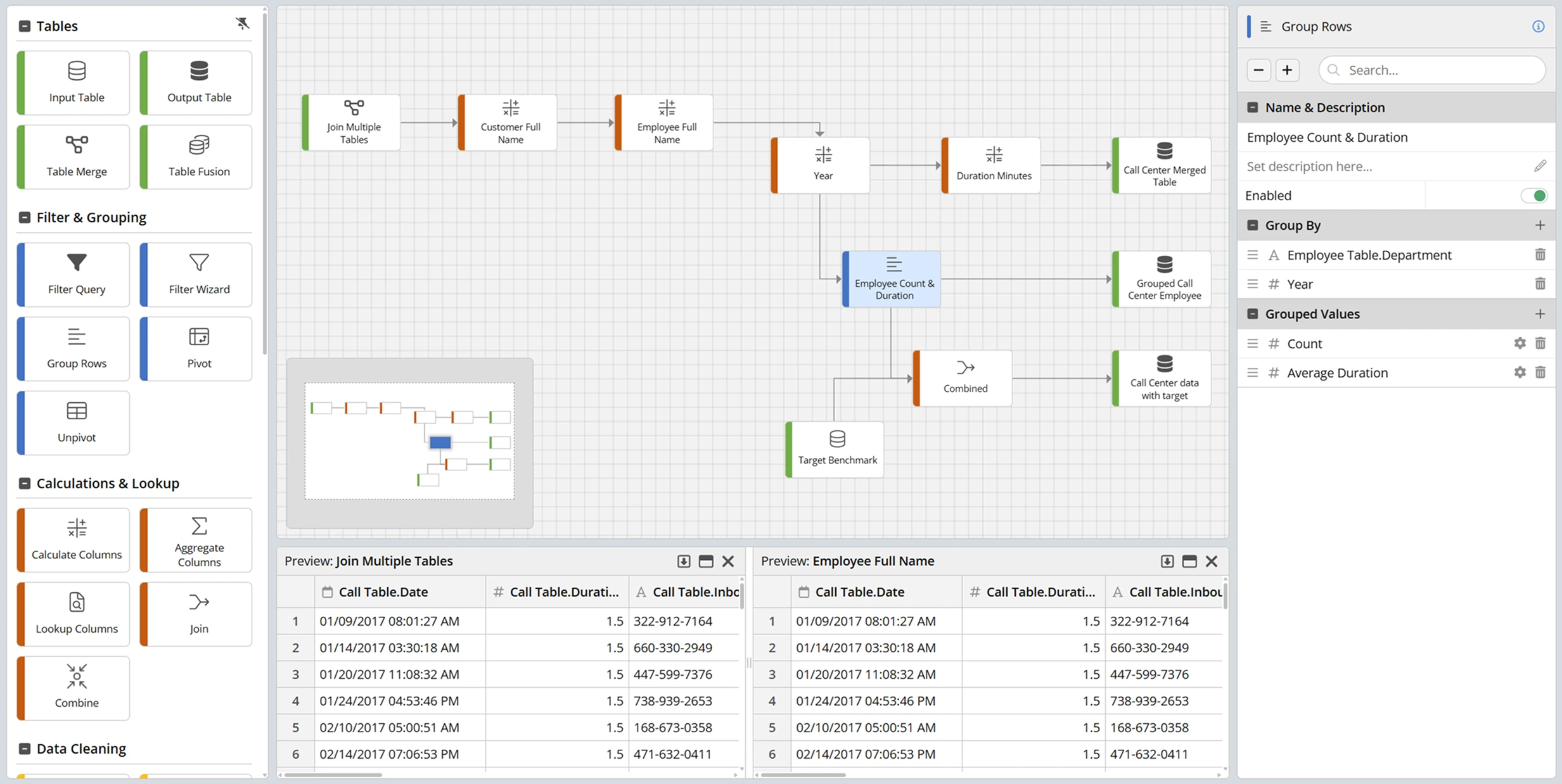
Our data flow module gives you a bird's eye view of all the operations allowing you to preview any 2 nodes at the same time, view all revisions, annotations and grouping of operations, zoom in/out and mini-map, grid alignment and much more.
35+ data nodes for any task
We offer over 35 different processing nodes (and more added every release), each with unique and powerful capabilities ready to tackle your data. From filters to aggregates, data augmentation to cleansing, Python execution to complex parsing, we are sure we got you covered.
Tables
Use this to feed tables to the Data Flow and start the pipeline. You can have multiple input tables.
Push data out to a table at any point in the Data Flow as final or interim tables.
Build a relationship between the tables using a full entity relationship diagram editor.
For combining multiple tables with the same or similar schema.
Filter & Grouping

The simplest way to build a filter for your data.
When you want to filter on your terms with your own SQL.
Pivot your data into rows and columns using multiple aggregations.
When your data comes in pivotted and that just doesn't work.
Your simplest grouping function with multiple aggregates.
Calculations & Lookup
Use any function available in SQL to create your calculated column.

Calculate column aggregates from other tables using values in current row.

Lookup data in any other table in your data warehouse.
Join two data flow branches into one.
Fusion or union two or more branches of the data flow into one.
Data Cleaning

Simply find and replace values in your data set using simple rules.
A set of tools ready to fix, date/times, numbers, text and more.
Add rules to align values to be the same and make those charts and groupings perfect.
Specify the columns that should not have the same values, and they are removed.
Use REGEX or SQL to transform the data with a full catalogue of functions.
Sometimes the type is not right. Change the type of a column into another type.
Work with a subset of columns to make your data flows faster and simpler.
AI & Augmentation
Ask AI anything about your data and store the results in another column.
Augment your street address or geographical data to latitude and longitude.
Translate Text
翻訳 - Übersetzen - Μεταφράζω - Tradurre
翻訳 - Übersetzen - Μεταφράζω - Tradurre
Dig deeper into your text data and find opinions at the topic or overall level.

Transform IP address data into latitude and longitude with ISP and more.
Create a summary of long text into a new column.
Identify the language of the text for post processing.
Parsing & Splitting

Parse a column of text into multiple columns.
Explode the data stored in one column into rows.

Parse JSON into a column structure from different nested levels.
Flatten a JSON structure into multiple rows.
Designer & Annotations
Add a label and some text to your data flow and keep it well documented.

Add a background panel to group nodes into operations or logical blocks.
Ask AI to Build It
Building complex formulas across your data flow nodes is now faster. The built-in AI assistant helps you write, edit, and refine formula expressions directly inside the node editor. Describe what you want to compute in plain language and get a ready-to-use formula in seconds. The AI understands your pipeline context, including column names and data types, so the output fits your data as-is.
Use our AI assistant to:
Write formulas in second with AIUse our AI assistant to:
- Generate expressions for calculated columns, filters, and aggregations
- Rework or simplify an existing formula on the fly
- Understand what a formula does before applying it
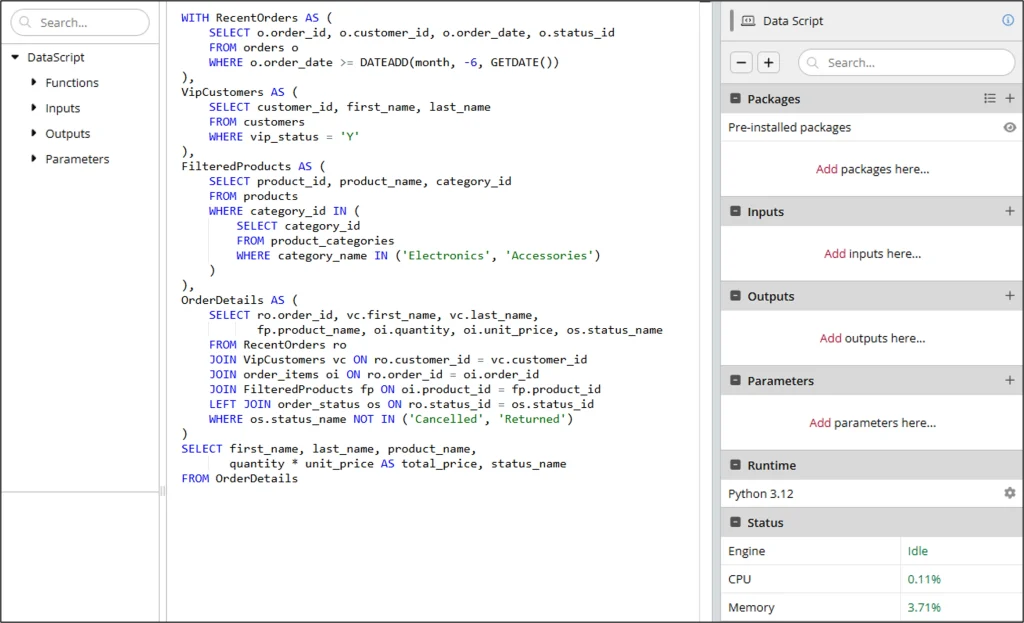
Want to code instead?
Use Data Scripts
Our Data Scripts module goes beyond advanced statistics—it empowers you to model, clean, enhance, augment, and filter your data using SQL or Python. Build powerful data flows with custom code tailored to your needs.
Learn more about Data Scripts Leverage any Python package available on PyPI, including NumPy, Pandas, TensorFlow, and many more. Your code runs in a scalable environment where you only pay for what you use.